
Granting WebProGeeks access to your Bluehost account
If your site(s) are hosted with Bluehost and you need to provide us with safe access to your account, please follow the steps below.
- Log in to your Account Manager, which can be found here.
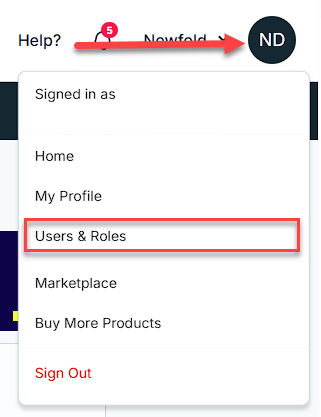
- Select your profile icon from the top-right corner.
-
Select Users & Roles from the navigation.
-
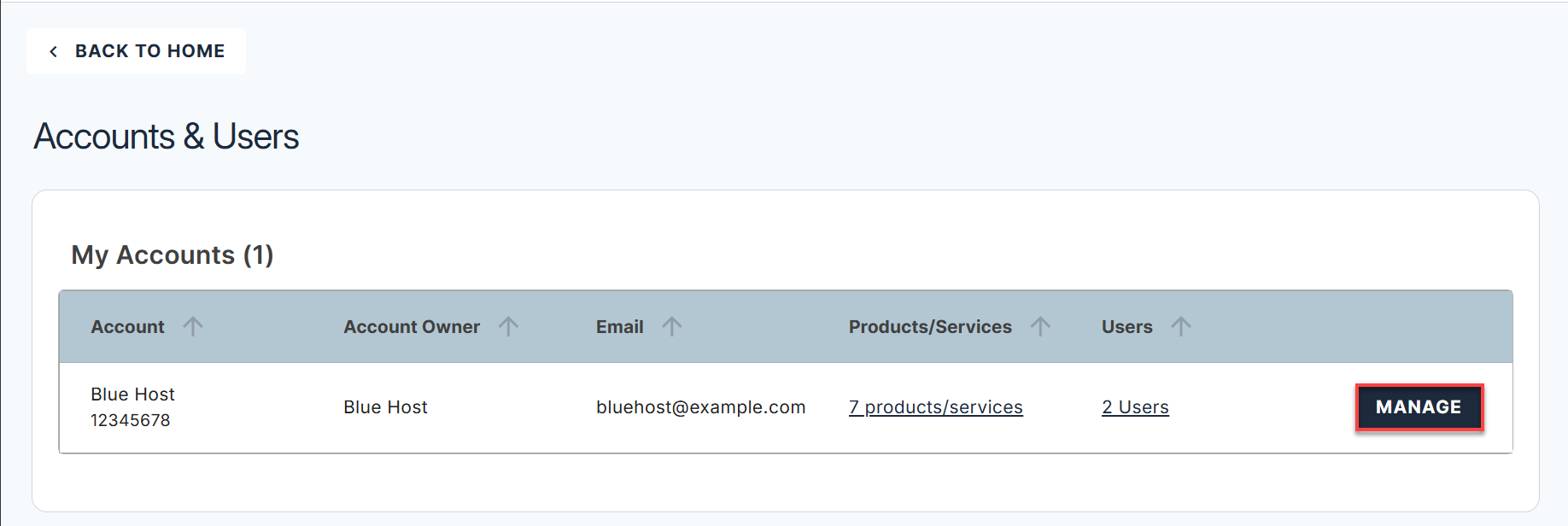
On the following page, select the Manage button for the account you wish to manage the users and roles.
- Scroll down to the section with the title User Roles & Permissions section
-
Select the + ADD USER button.

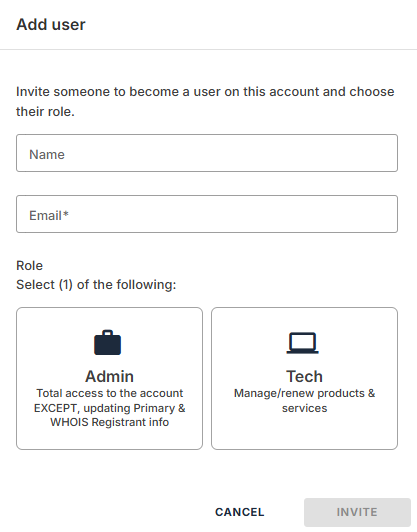
- Enter the name (Web Pro Geeks)
- Enter the Email address (wordpress@webprogeeks.com)
- Select the role they will have in your account (we will let you know which to use, if you forgot, just ask!)
-
Select INVITE .
We will get an email, and then be able to set our own user ID, password, and security questions. Once we have accepted, we will appear in the User Roles & Permissions section. See you there!